
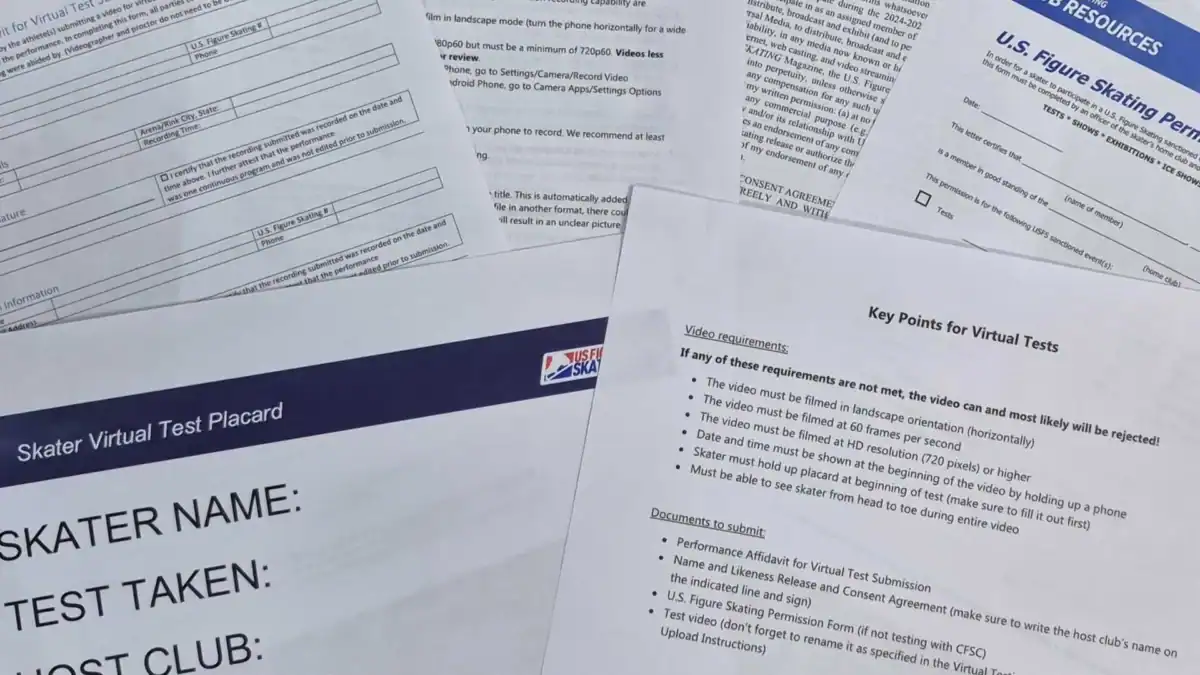
Virtual tests have a fair number of required documents. Some are informational and some are submitted with the test video. These documents are explained below and included in the virtual test packet in the club’s locker room.
Documents for Skater’s Use
The Key Points provides a quick view of the most important things to do and remember when filming and submitting a virtual test. Do not send this document to the host club; it is for informational purposes only.
The Virtual Testing Video Recording and Upload Instructions provides all the information needed to successfully record a virtual test. For more information about filming, check the Filming page. Do not send this document to the host club; it is for informational purposes only.
The Skater Virtual Test Placard is something the skater will need to fill out and hold up at the beginning of their test. The placard must show four pieces of information: the name of the skater, the test they are filming, the host club, and the date of the test session. Do not send the placard to the host club; just use it during filming.
Documents Submitted with Test Video
The Performance Affidavit for Virtual Test Submission verifies that the skater followed all U.S. Figure Skating rules for virtual tests. Fill it out completely, including the four signatures from the athlete, the coach, the videographer, and the proctor. Note that neither the videographer nor the proctor need to be U.S. Figure Skating members, so you can leave that field blank for those sections. The proctor must be an impartial person who is not connected to the skater in any way. For example, they cannot be the skater’s coach or choreographer, a training mate, a friend, a parent or guardian of either the skater or the skater’s training mate). We typically have a rink staff member who worked the day of filming sign as proctor. The videographer may be the same person as the coach or proctor. Submit this form to the host club’s test chair with the test video.
The Name and Likeness Release and Consent Agreement allows the host club to use the skaters image. First edit it to include the name of the club hosting the virtual test session. Then the skater and their parent or guardian (if the skater is under 18 years old) must sign and date it. Submit this form to the host club’s test chair with the test video. Note that, when uploading these documents via entryeeze, there may be only one place to upload a document. If this is the case, the easiest way to upload both of the required documents is to put them both into one file. Then you should name the file something like “Affidavit and Release.” This way the test chair will realize that the uploaded file contains both documents.
The Permission to Test form verifies that the skater is in good standing with their home club. You only need this form when you’re testing at a club other than CFSC. If this form was not already provided when registering for the test session, you will need to provide it to the host club’s test chair by the test session submission deadline. Complete this form and then have either the President or the Treasurer sign it.